Geo Digital iPad Pencil for iPad 2018-2026, Find My, Easy Shortcuts | Work with Apple Find My, for iPad (A16) 11/10/9/8 Gen & Air 13/11 & Pro 12.9/13/11 & Mini 7/6/5, White (No Wireless Charging)
 Geo Digital iPad Pencil for iPad 2018-2026, Find My, Easy Shortcuts | Work with Apple Find My, for iPad (A16) 11/10/9/8 Gen & Air 13/11 & Pro 12.9/13/11 & Mini 7/6/5, White (No Wireless Charging) thumbnail  Geo Digital iPad Pencil for iPad 2018-2026, Find My, Easy Shortcuts | Work with Apple Find My, for iPad (A16) 11/10/9/8 Gen & Air 13/11 & Pro 12.9/13/11 & Mini 7/6/5, White (No Wireless Charging) thumbnail  Geo Digital iPad Pencil for iPad 2018-2026, Find My, Easy Shortcuts | Work with Apple Find My, for iPad (A16) 11/10/9/8 Gen & Air 13/11 & Pro 12.9/13/11 & Mini 7/6/5, White (No Wireless Charging) thumbnail  Geo Digital iPad Pencil for iPad 2018-2026, Find My, Easy Shortcuts | Work with Apple Find My, for iPad (A16) 11/10/9/8 Gen & Air 13/11 & Pro 12.9/13/11 & Mini 7/6/5, White (No Wireless Charging) thumbnail  Geo Digital iPad Pencil for iPad 2018-2026, Find My, Easy Shortcuts | Work with Apple Find My, for iPad (A16) 11/10/9/8 Gen & Air 13/11 & Pro 12.9/13/11 & Mini 7/6/5, White (No Wireless Charging) thumbnail  Geo Digital iPad Pencil for iPad 2018-2026, Find My, Easy Shortcuts | Work with Apple Find My, for iPad (A16) 11/10/9/8 Gen & Air 13/11 & Pro 12.9/13/11 & Mini 7/6/5, White (No Wireless Charging) thumbnail
Geo Digital iPad Pencil for iPad 2018-2026, Find My, Easy Shortcuts | Work with Apple Find My, for iPad (A16) 11/10/9/8 Gen & Air 13/11 & Pro 12.9/13/11 & Mini 7/6/5, White (No Wireless Charging)
$29.69

List Price: 42.99

Discount: -31%

Deal: Yes

Rating: 4.6 ★ (1022 reviews)

Availability: In Stock

Brand: ESR

Category: Stylus Pens

SKU: White

Promotion Hot Sale New Arrival

What should I do if my Find My Pencil won't turn on?

If the Pencil won’t turn on, try charging it with a Type-C cable for 25 minutes. Once fully charged, test the Pencil again.

What should I do if my Find My Pencil turn on but still not working?

1.If your iPad is connected to an Apple Pencil, it may prevent the third-party stylus from working. Please disconnect the Apple Pencil first.

2. Ensure your iPad is an compatible model, as the stylus may not be compatible with others

What should I do if my Find My Pencil won't connect to Bluetooth?

Follow these steps to connect via Bluetooth:

1. Press and hold the button on the back of the Pencil for 2 seconds to activate pairing mode.

2. Go to iPad Settings > Bluetooth and select Geo Digital Pencil to pair.

Does this Pencil support magnetic pairing and charging?

1.This Pencil supports magnetic attachment with the compatible models (note: it does not support wireless charging):

2.The Pencil cannot be charged magnetically and must be charged via USB-C.

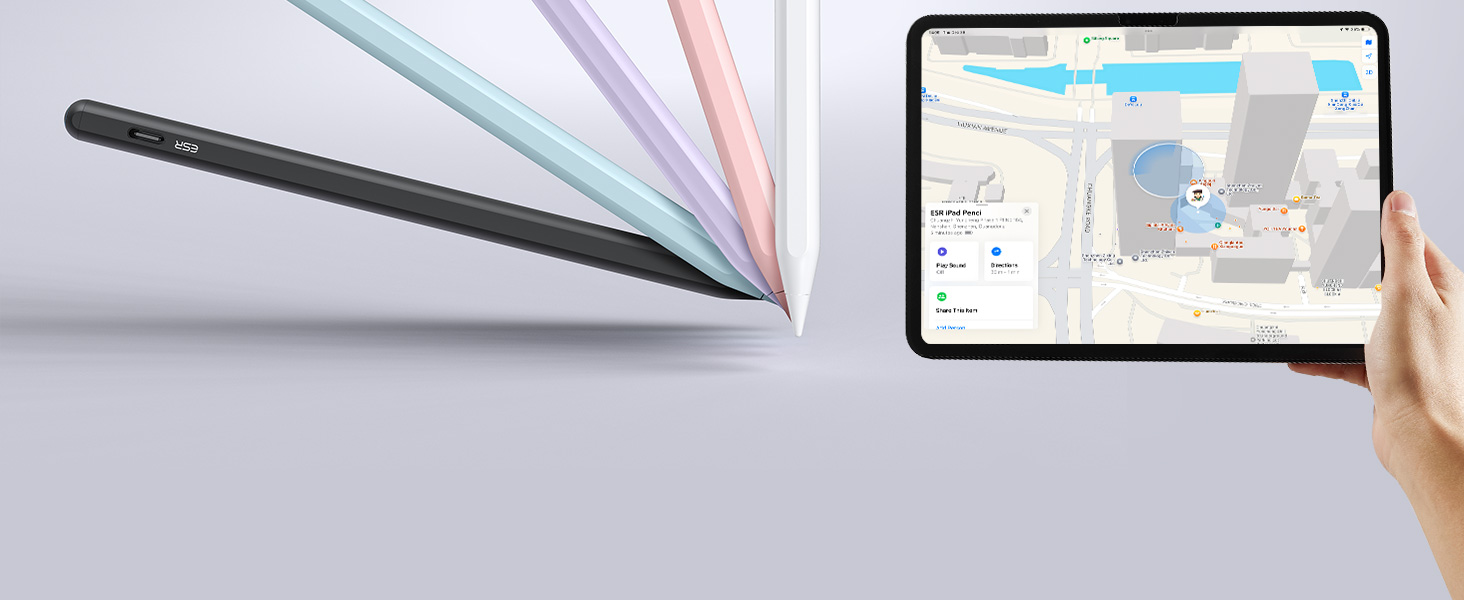
What should I do if I see the "Find My unavailable" alert on my iPad?

If this alert appears, please check the following:

1. Ensure Bluetooth is turned on for your iPad.

2. Confirm your iPad is connected to a stable Wi-Fi or cellular network.

3. Verify that your iPad is signed in to your Apple ID.
Product description

findmy iPad pencil

Visit the Store

From the brand

Recently Viewed

Guess You Like